






Tablet Menu for Restaurants on iPad and Android, Designed and Built for You

Your menu, full screen on the iPads and Android tablets you already own. Works offline. No guest app. We build it, you run it or we do.

Tablet menus for restaurants, cafés and hotel outlets in 14+ countries.
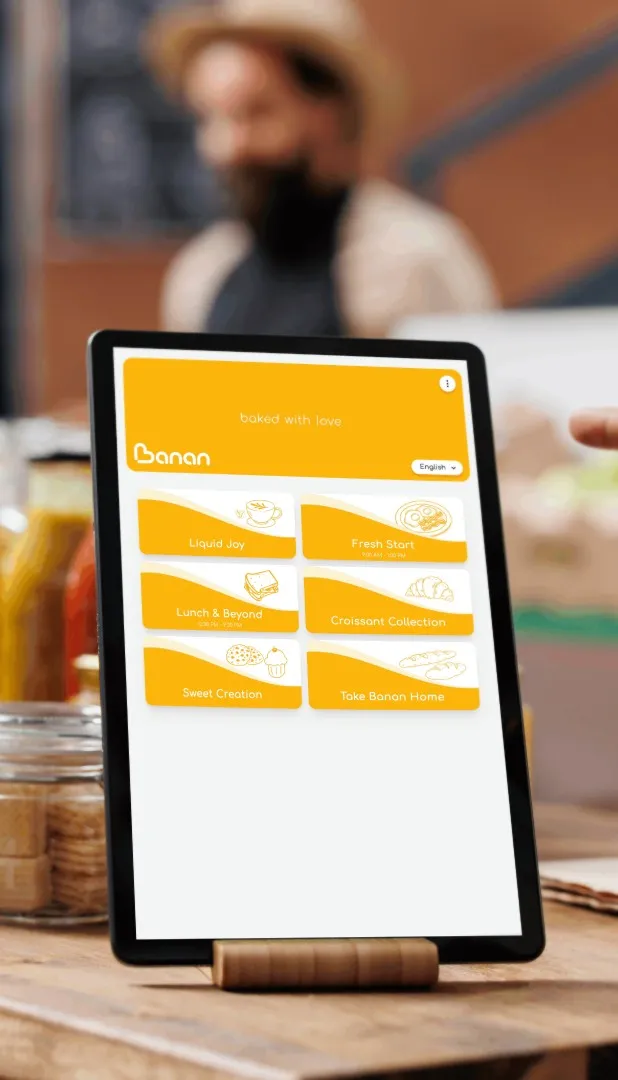
Tablet menu for restaurants shown full screen on a tablet with a branded food menu
100+
restaurants and hotels live in 14 countries
60 seconds
to change a price on every tablet in the room
3-5 days
typical build
100%
of your data, exportable anytime

Tablet Menus We Build and Maintain

Fraser Suites logo, serviced apartment hotel in Doha, Qatar
Zooba logo, Egyptian street food restaurant group in Egypt
Antonia logo, restaurant group in Abu Dhabi and Dubai, UAE
Earth Roastery logo, specialty coffee roastery in Doha, Qatar
Asman logo, restaurant in Kyrgyzstan
The Hotel Adagio logo, Autograph Collection hotel in San Francisco, USA
Think Coffee logo, coffee shop brand operating in Bahrain
ISHQ by Royal Crown logo, restaurant in Dubai, UAE
Soul Kitchen logo, restaurant in Al Khobar, Saudi Arabia
CultureCafe logo, cafe in Jeddah, Saudi Arabia
Moose logo, restaurant in Costa Rica

What Changes When Your Menu Runs on a Tablet

  1. No more reprints. Change a price once and every tablet updates.

  2. The menu sells for you. Full-screen photos, pairings, chef notes.

  3. Nothing to ask of the guest. No scan, no download, no phone.

  4. Nothing to buy from us. Runs on the tablets you already own.

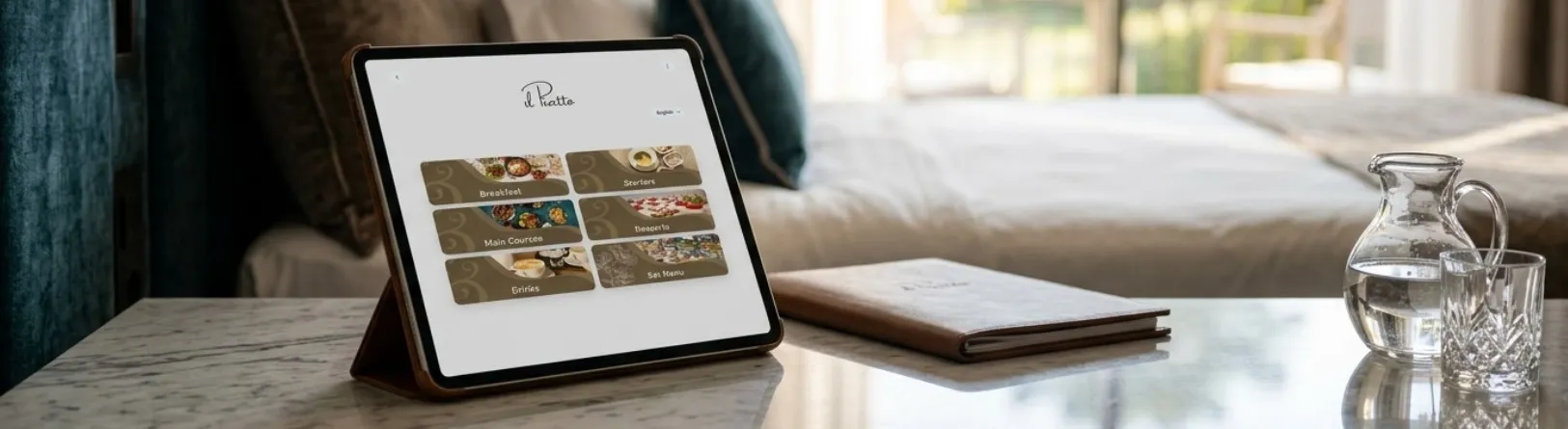
Tablet menu on a stand in a hotel room showing the in-room dining menu

What Is a Tablet Menu for Restaurants?

A tablet menu is your menu running full screen on a tablet in your dining room. Staff hand it to the guest, or it sits on a stand at the counter or on the table. It opens instantly, with no scanning, no app and no guest phone required. You will also see it called a digital tablet menu, a digital menu tablet, or simply a menu tablet. They all describe the same thing.
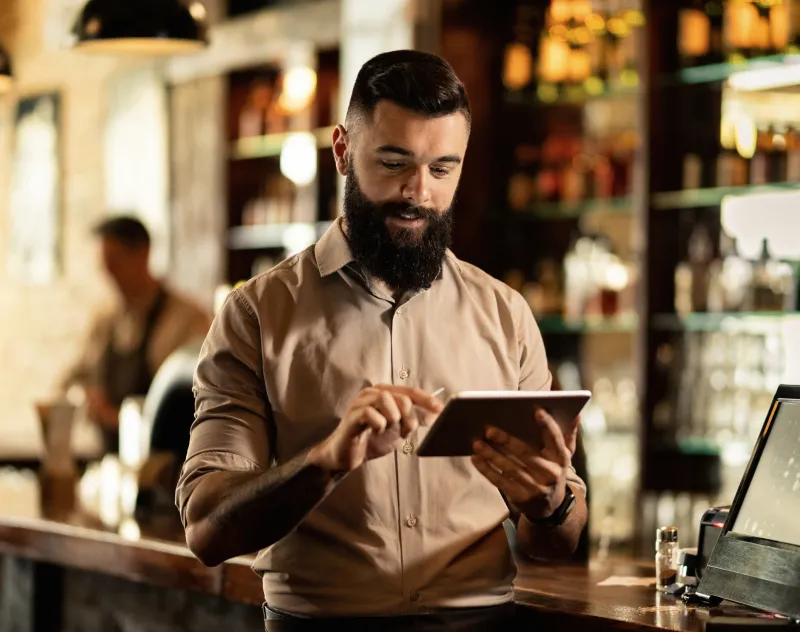
Manager updating a dish price on the tablet menu, live across every tablet in the restaurant

Tablet Menu vs QR Code Menu vs Printed Menu

Feature Tablet menu QR code menu Printed menu
Guest needs a phone No Yes No
Works if Wi-Fi drops Yes Needs guest connection Yes
Open before the guest sits Yes Guest scans first Yes
Screen for photography Full 8 to 13 inch Guest's phone Fixed print
Updates without reprinting Yes Yes Reprint every change
Best rooms Fine dining, tasting menus, wine lists, counters Terraces, pools, room service Where paper is the concept
Cost with TableQR Included, per venue Included, same price Design and print, every change

If you are replacing paper menus, the tablet is the closest thing to what guests already expect: something handed over, held and read at the table. If you need the QR side, our digital menu and QR code menu service covers it, and running both in one venue costs no more.

Not sure which fits your room?

Runs on the iPads and Android Tablets You Already Own

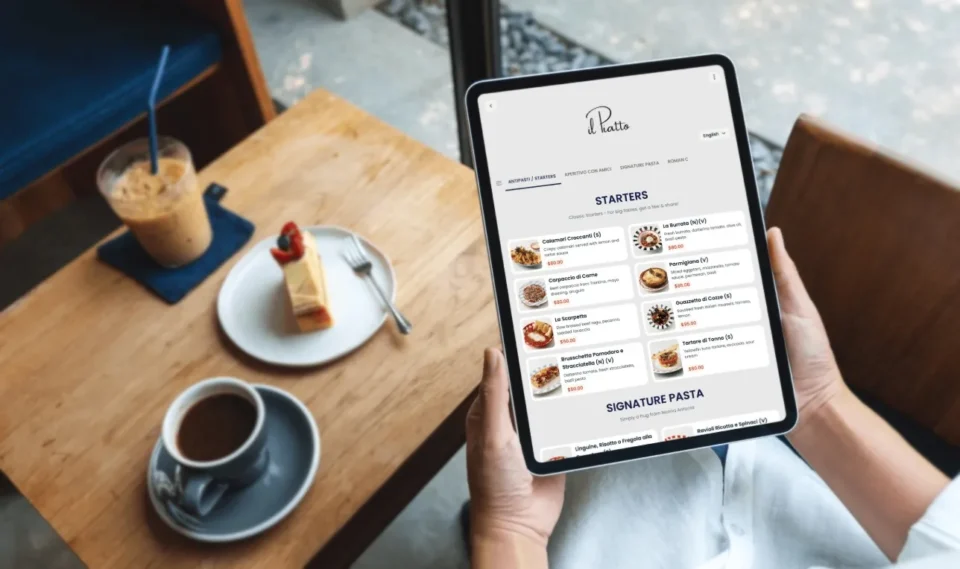
Guest reading the restaurant tablet menu at the table before ordering with the server

We do not sell hardware. What we deliver is the menu itself: designed, built item by item, tagged, translated, loaded on your tablets and kept accurate. The devices are yours to choose, replace and upgrade whenever you want.

iPad and Android · Installs from the browser, no app store · Full menu cached on the device · Updates automatically on reconnect

iPad Menu for Restaurants

On iPad the menu is a web app saved to the home screen. It opens full screen with no browser bar, no App Store install and no developer account. Lock the tablet to the menu with Guided Access so a guest cannot leave it, then hand it over. Works on any iPad.

Android Tablet Menu

On Android the same menu installs from the browser as a home-screen app and runs full screen. Use screen pinning or a kiosk mode to keep it on the menu, or leave it open on a stand. Works on any Android tablet, from an 8 inch handheld to a 13 inch counter display.

Buying tablets for restaurant menus? 10 inch or larger, a bright panel for daylight, a stand case for counters. We size the fleet with you.


PRICING

Two Service Levels. One Price Per Venue. No Tablet Surcharge.

Signature

from $480 / venue / year

We build it. You run it.

We design and build the complete tablet menu, brand it, tag it, translate it and set it up on your devices. Then we train your team and hand over the controls. You make the day-to-day changes: prices, specials, sold-out items, seasonal swaps. The setup work is never yours.
Concierge

$1,200 / venue / year

You message. We update. Before service.

Same build, same setup, then our team runs every ongoing change for you, unlimited, with no per-edit fee. Send a WhatsApp message describing what you need and we make it live. You never open a dashboard.

Both include the full product.

No feature gates, no locked settings, no tiered limits. The tablet menu costs the same as the QR menu, and running both costs no more per venue.

Handed at the Table, Fixed on a Stand, or In the Suite

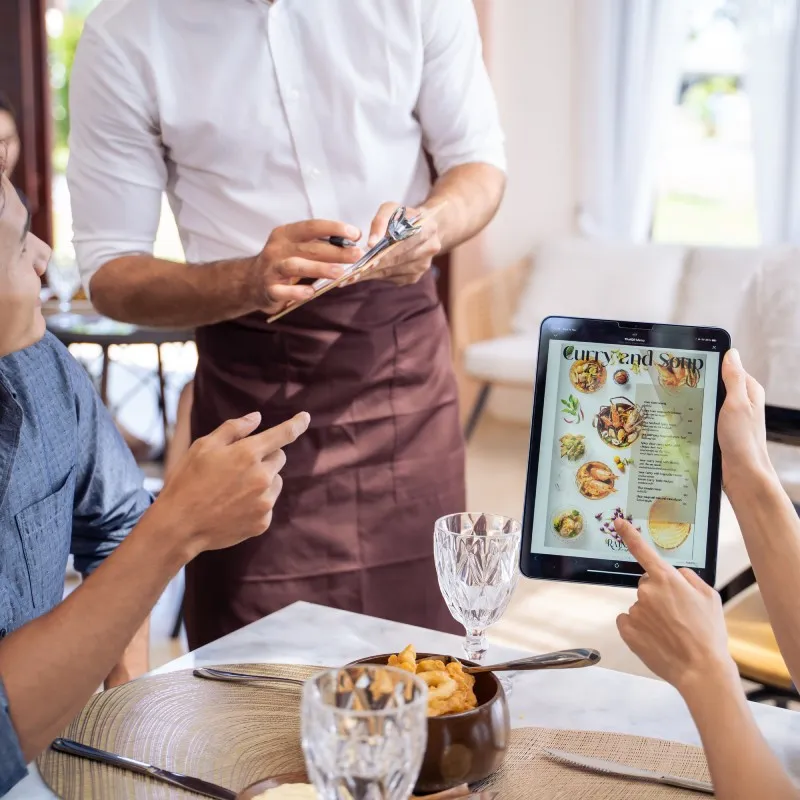
Waiter taking an order at the table while guests read the tablet menu

Handed at the table

Your server brings the tablet with the greeting. It is already open on your menu, already in the right language, and it goes back to the station after ordering. Best for fine dining rooms, tasting menus and bars with long wine lists.

Digital restaurant menu tablet on a stand at the counter

Fixed at the counter or table

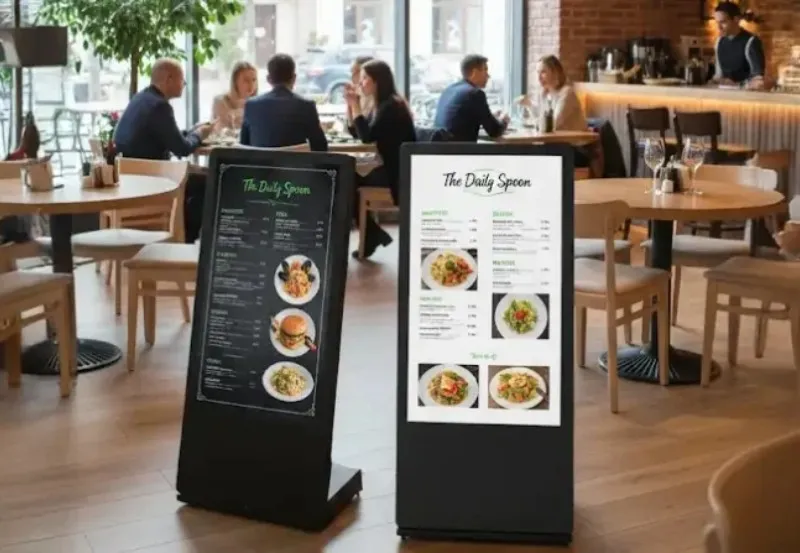
A tablet or a larger interactive screen sits on a stand where guests browse on their own, at the host desk, the counter, the bar, or on the table itself. Left in place, it works as a digital table menu that is always there, with nobody needing to bring it. Restaurant table tablets suit cafés, food halls, hotel lobbies and high-volume rooms.

Built for Fine Dining Rooms, Cafés, Bars and Hotel Outlets

Hotels and hotel restaurants. Fraser Suites Doha; The Hotel Adagio, Autograph Collection.

Restaurant groups. Antonia, Abu Dhabi and Dubai; Zooba, Egypt.

Cafés and roasteries. Earth Roastery, Doha; Think Coffee, Bahrain; CultureCafe, Jeddah.

Independent restaurants. ISHQ by Royal Crown, Dubai; Soul Kitchen, Al Khobar; Asman; Moose.

Guest browsing dishes and options on the restaurant tablet menu before the server takes the order

Tablet Menu Design, Built From Your Brand

No templates. Our designers work from your identity, your colours, your typography, your photography style and your tone. If you have no formal brand guidelines, we work from your logo, your interior and your existing print menu.

A tablet screen is larger than a phone and closer to the guest than a wall. We design to that: readable at arm’s length, comfortable in low dining-room light, and unmistakably yours from the first tap.

Photography, short silent video loops on hero dishes, chef and sourcing notes, and seasonal themes are all part of the build, not an upgrade.

Custom tablet menu design in a restaurant's own colours and typography with branding.

How TableQR Compares With Self-Serve Tablet Menu Apps

Feature TableQR Self-serve tablet menu apps
Who builds the menu Our designers and menu team You, from a general template
Hardware Your own iPads or Android tablets Varies, some bundle devices
Offline Full menu cached on device Needs active Wi-Fi connection
Ordering and payment Not included, by design Often included, priced separately
Pricing Per venue, per year, no per-tablet or per-edit fee Per location plus tiers or per-tablet
Ongoing changes You, or our team on WhatsApp You

How It Works

What Guests Use on the Tablet

Languages. Guests switch language with one tap, including full right-to-left layout. → Multilingual and multi-currency

Allergens, calories and nutrition. Clear icons for nuts, gluten, dairy, eggs, soy and shellfish, with calories and dietary filters. → Allergens, calories and nutrition

Live availability. Mark an item sold out and it changes on every tablet in the room. → Real-time menu updates

Specials and promotions. Schedule a happy hour set or a chef’s feature by day or by time slot. → Special offers and promotions

Rolling Out Tablet Menus Across Your Venues

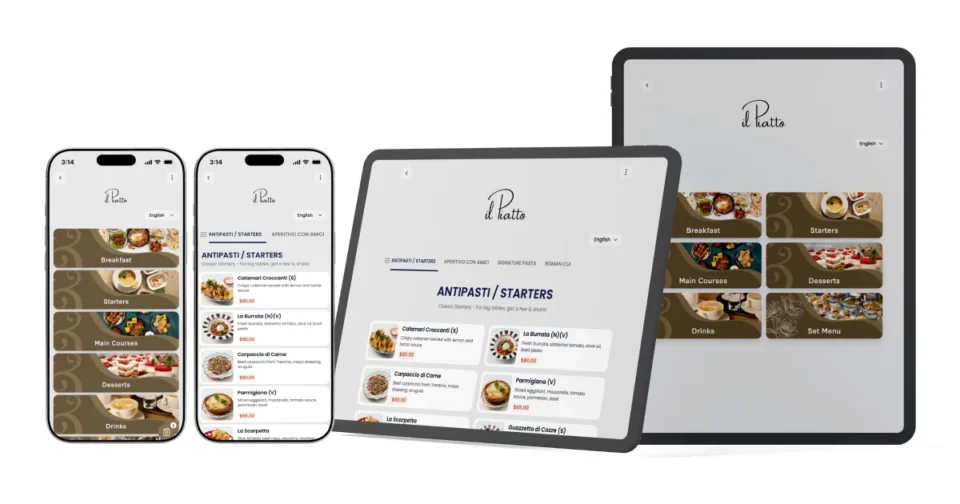
Restaurant digital menu running on a phone and a tablet with the same menu across both devices

Most rooms start with fewer tablets than they expect. One per section station is usually enough for a fine dining room; cafés and food halls tend to run two or three fixed points rather than one per table. We help you size it before you buy anything.

We handle the build and the setup for every venue. Each site keeps its own prices, currency and languages while the group keeps one design standard. When you add a location, the menu structure comes with it.

For multi-site groups, we run the rollout venue by venue so no room is offline while it is being built.

Want an implementation plan before you commit to anything? We will map it with you: how many restaurant menu tablets each room needs, which venue goes first, what your team handles after launch, and the practices that keep a tablet fleet tidy in service.

Plan Your Tablet Rollout

Frequently Asked Questions

Yes. An iPad restaurant menu saves from Safari to the home screen as a web app and opens full screen with nothing from the App Store. Guided Access locks the iPad to the menu while a guest holds it.

Yes. The same menu installs from Chrome as a home-screen app and runs full screen on any Android tablet. Screen pinning or a kiosk mode keeps it on the menu.

No. We design, build and manage the menu; the hardware is yours. It runs on iPads and Android tablets you already own or buy locally, which usually costs less than a bundled device programme.

No. There is nothing to install, no licence to buy and no app store involved. The tablet opens straight into your menu in full screen. What most people mean by tablet menu software is a dashboard you fill in yourself. We build the menu before you ever see a screen, so the setup work is never yours.

Yes. The menu is a progressive web app: on first load the tablet caches the full menu, images included. If the connection drops during service the menu keeps working, and it pulls your latest changes when the tablet reconnects.

No. Your staff hand over a tablet that is already open on your menu, or the guest walks up to a screen that is already showing it. No download, no sign-up, no guest phone required.

No, and that is deliberate. The tablet menu is view-only. Guests browse and decide, your server takes the order. It keeps the guest looking at your menu and keeps your service in your team’s hands.

A tablet menu runs on your device and needs no guest phone, works offline, and gives you a full screen for photography. A QR menu runs on the guest’s phone and suits terraces, poolsides and room service. Many clients run both from the same menu. Our QR menu service covers the QR side.

Fewer than most operators expect. A fine dining room typically runs one per section station rather than one per table. Cafés and food halls often use two or three fixed points. We size it with you before you buy anything.

Yes. Clients run it both ways: handed to the guest at the table, or fixed on a stand at the counter, the bar, the host desk or the table. Larger interactive screens work the same way. Both modes run the same menu and update together.

Our in-house designers, from your brand. No templates. We work from your colours, typography, photography and tone, or from your logo and interior if you have no formal guidelines. You approve it on a real tablet before it goes into service.

It is priced per venue, per year, and it costs the same as our QR menu with no tablet surcharge. Signature is the lower tier, where we build and set everything up and you manage day-to-day changes. Concierge costs more and includes our team making every ongoing change for you. Full figures are on the pricing page.

On Signature, no. We build the entire menu first, so you are never starting from an empty dashboard, and we train your team on the changes you will actually make: prices, specials, sold-out items. On Concierge you do not manage it at all; you message us and we make the change.

Yes. Every venue keeps its own prices, currency and language settings while the group keeps one design standard. For groups and hotels running multiple concepts, Collection adds a master menu with governance across every outlet.

Signature includes dual language, local and tourist. Concierge includes four, with more on request. Right-to-left layouts including Arabic are fully supported, and guests switch with one tap.

Yes. Feature a dish, a chef’s special or a happy hour set, and schedule it by day or time slot. Nothing is reprinted and nothing goes stale on the floor.

Yes. Fraser Suites Doha and The Hotel Adagio, Autograph Collection, run TableQR menus. For in-room dining, pool, lobby and restaurant outlets on one system, see the hotel digital menu.

Yes, and it is the closest replacement for paper: handed over, held and read at the table, with no guest phone involved. Prices, specials and sold-out items change without a reprint, so the menu on the floor is never out of date.

See Your Own Menu on a Tablet Before You Commit

Send your current menu in any format. We show it on a tablet, in your brand, and tell you how many devices you need. No obligation.

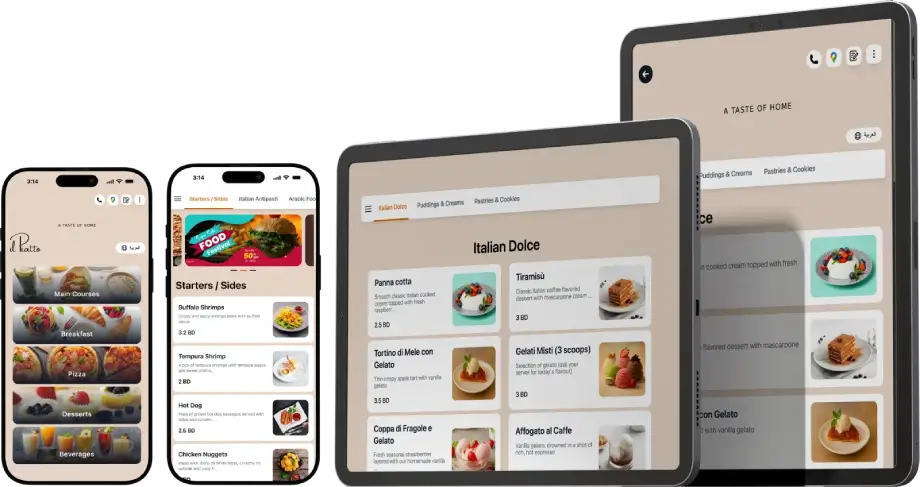
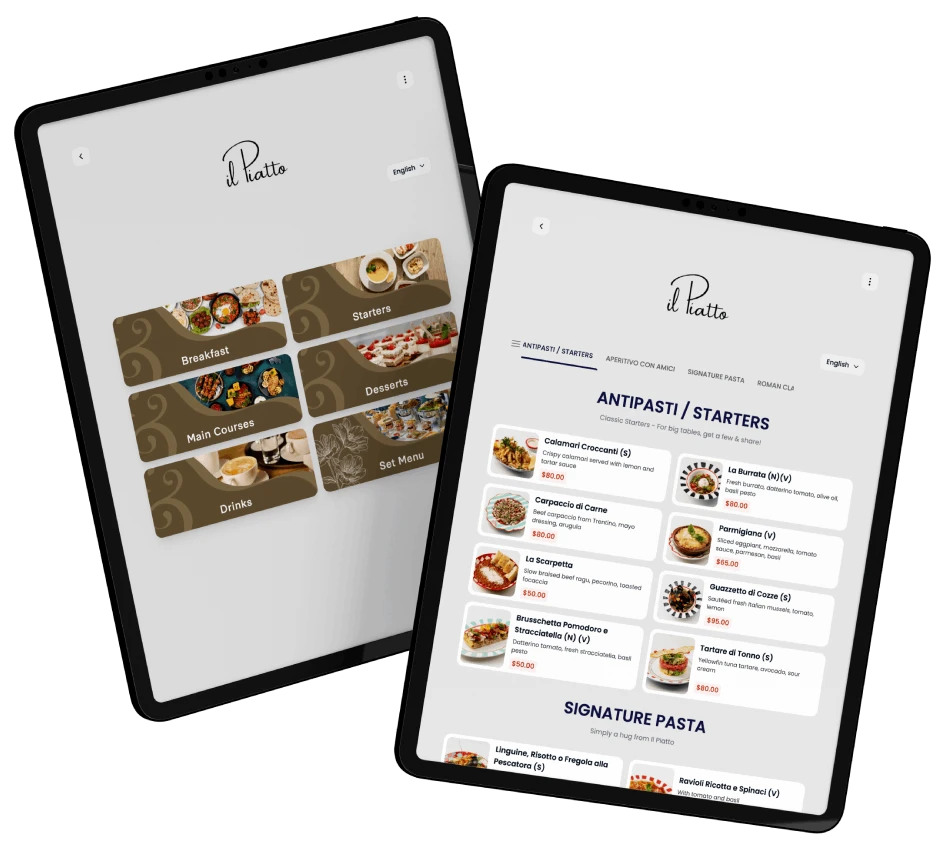
TableQR digital menu displayed on phones and tablets showing food categories, starters and Italian desserts in a modern layout.