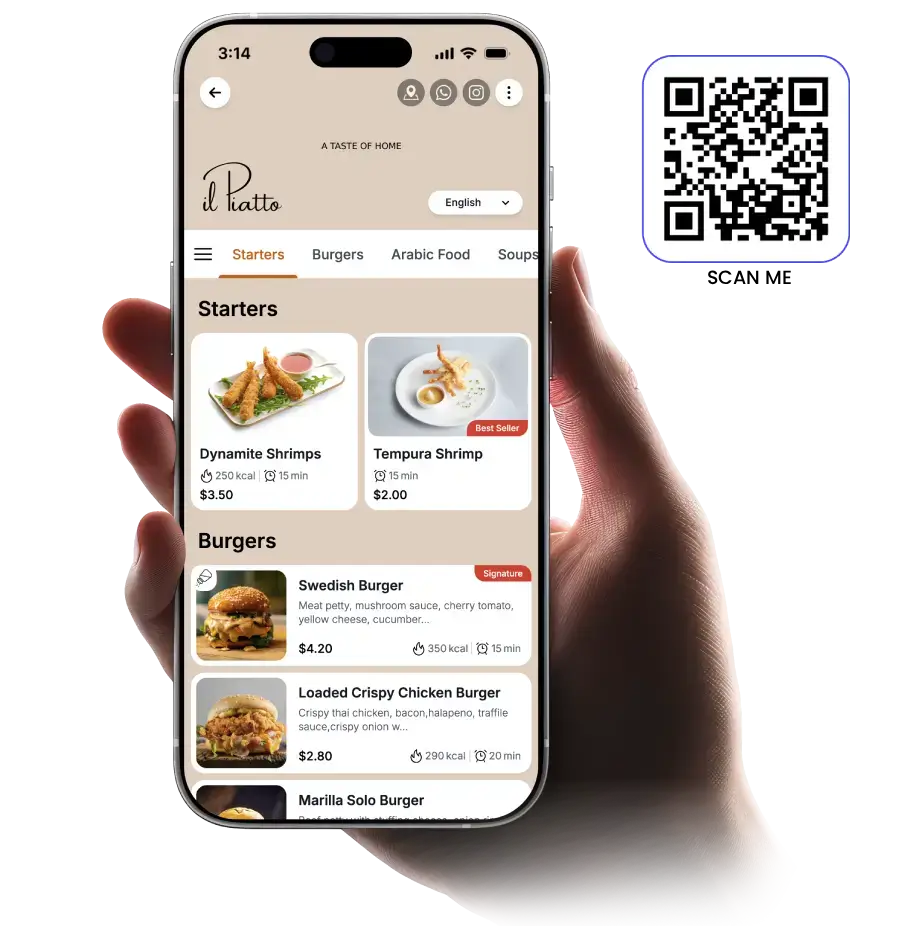
Guests scan, the menu opens in their browser, nothing to download. The difference with TableQR is who does the build. You do not digitise the QR menu, tag the allergens or fix the Turkish translation. Our team does that for you as part of setup, whichever plan you choose. After launch, keep it in your own hands or let us make every change for you.
Get My QR Menu Built 200+ restaurants, hotels and cafes in 14 countries
The Digital Menu Service for Restaurants
Send us your menu in any format. We design, translate and tag every item with allergens and calories to match your brand. You approve it. Then you run it, or we do.
Global Experiences We’ve Crafted and Maintained








The QR Menu, built for you
How a QR code menu works for restaurants
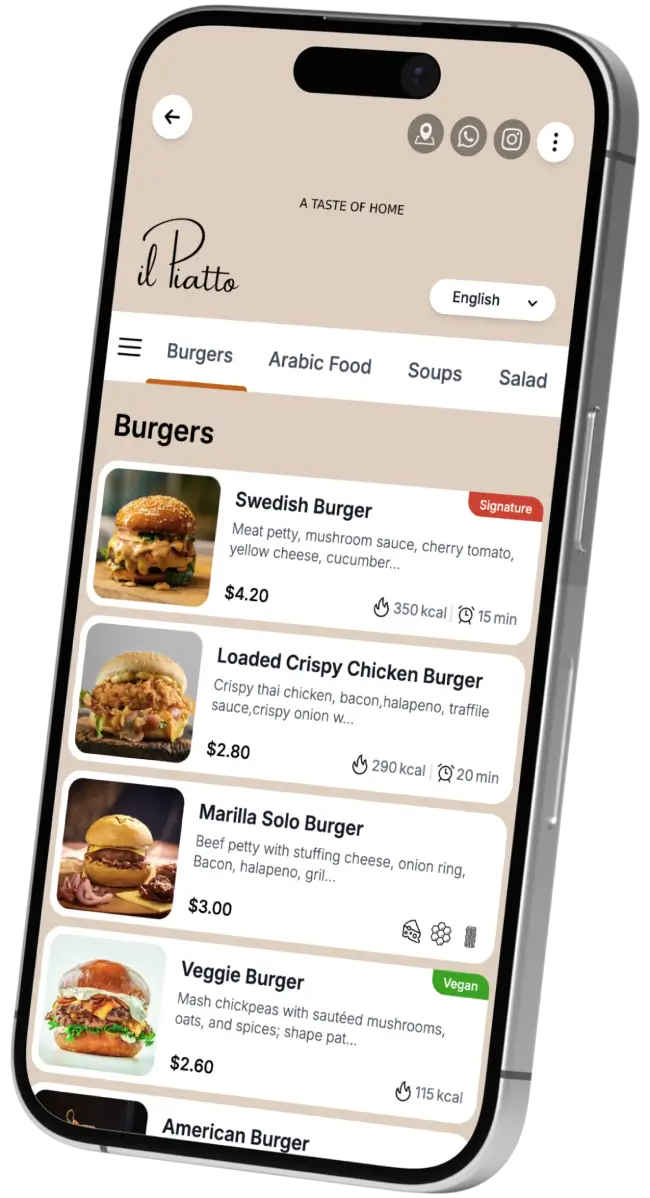
A QR code menu for restaurants turns your printed menu into a mobile one. A guest points their phone camera at the code on the table, taps the link that appears, and your menu opens in the browser in a second or two, with photos, descriptions and prices. No app, no download, no account. They browse, decide, and order with your server exactly as they do now. The QR menu replaces the paper, not your service.
What is a QR menu?
A QR menu is a mobile web page of your restaurant’s menu that guests open by scanning a code, and that you update in real time without reprinting. Change a price, mark a dish sold out, or add a seasonal section, and every guest sees the current version on the next scan.
How guests scan your menu
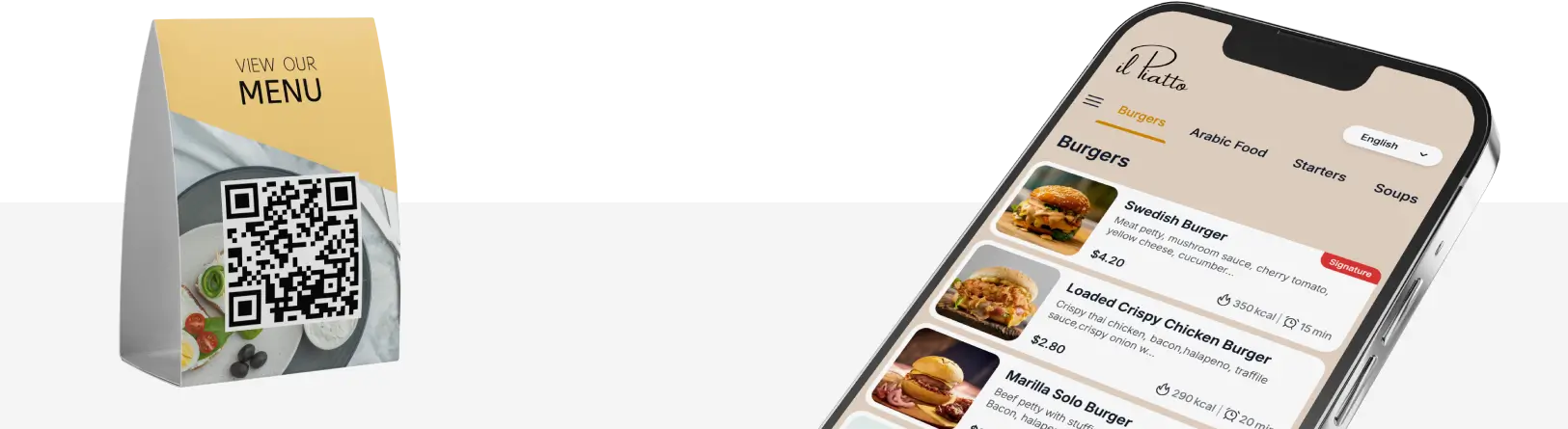
Guests open the phone camera, point it at the code on the table, and tap the banner that appears. On older phones, any free QR scanner app or the browser’s built-in scanner works. It takes seconds and needs nothing installed.
No signup required
Four steps. Only one of them is yours.
You never build it yourself
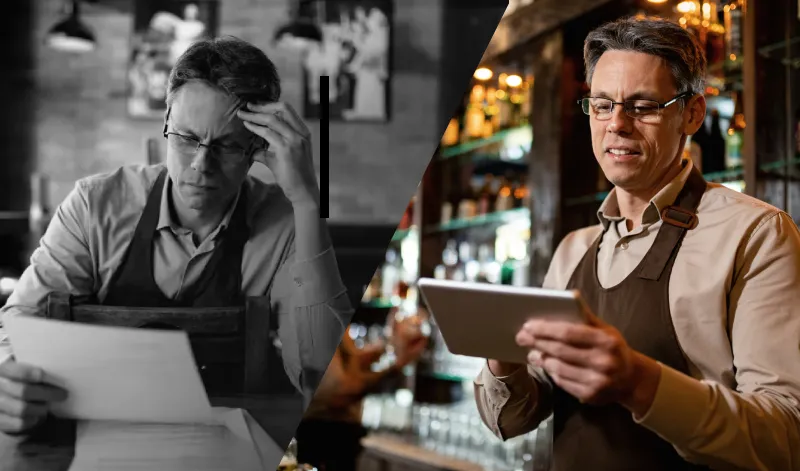
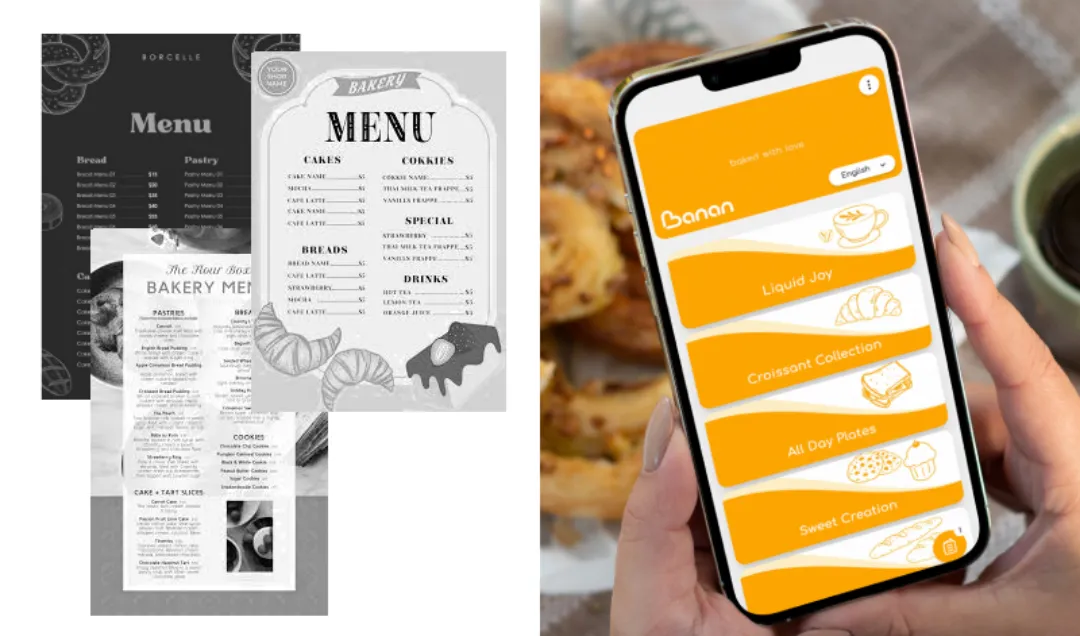
Most QR menu tools hand you a login and wish you luck. Ours does not. Whichever plan you choose, our team builds the whole thing for you: every item digitised, categories restructured for the phone, allergens and calories tagged, photos optimised, translations done, all designed to your brand. Both plans include the complete product, nothing locked behind a higher tier, priced per venue. The one thing you decide is who keeps it up to date after launch.
- Signature. We set it all up, then hand it over. You make price and item changes yourself, whenever you want.
- Concierge. Fully managed by our team as a service. Send a WhatsApp message with any change and we make it live before your next service. The ongoing work is on us.
- Collection. A fully customised build for groups and hotels whose requirements the two standard plans do not cover.
One service. Every kind of F&B operation.
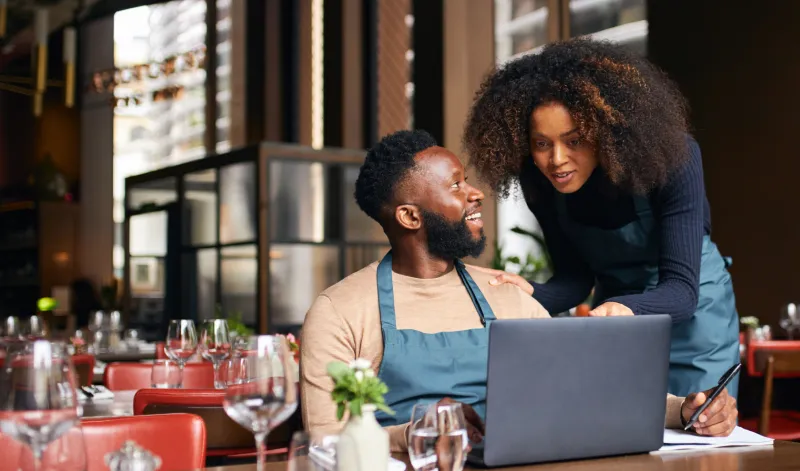
Restaurants, single and multi-location. One accurate menu across every table and every branch, changed in minutes the moment a price or dish moves.
Hotels and resorts. Room service, pool, lobby, spa and banquet menus from one system, multilingual for international guests.
Cafes and bakeries. Rotating drinks and display-case specials, availability updated in real time, no reprinted counter cards.
Chains and groups. One master menu, per-outlet prices and currencies, brand governance across every venue.
Cloud and dark kitchens. The menu is the brand. Fast-loading, conversion-first, zero physical overhead.
Agencies and consultants. White-label. We run the backend, you keep the client relationship.
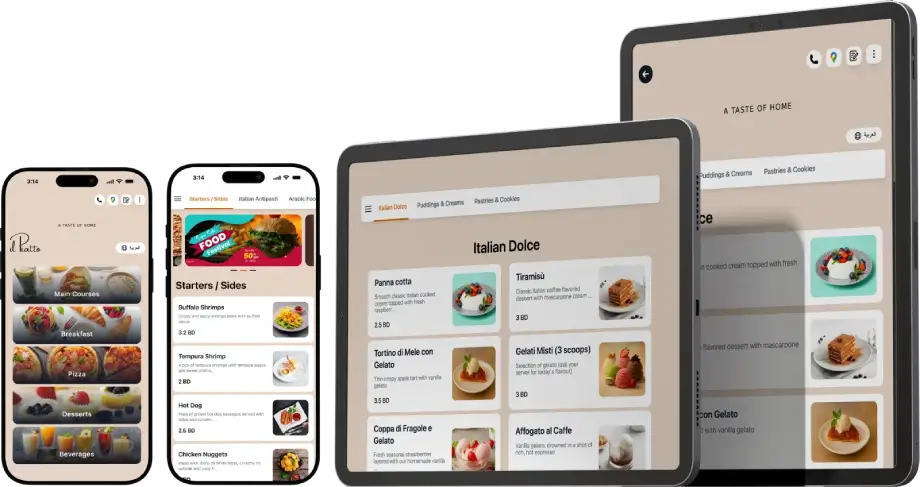
Prefer to hand guests a screen instead of asking them to scan? Our tablet menu for restaurants runs on iPads and Android tablets, works offline, and is built by the same team from the same menu.
A menu designed to your brand, not a template.
Every QR menu tool drops your logo into the same template, so your menu ends up looking like everyone else's. We do not use templates. We design from your brand: your colours, your type, your photography and your tone. Add a dish or a seasonal section later and it fits the system we built. On Concierge, our team makes those additions for you, so the standard never slips.
TESTIMONIALS
Don't Take Our Word for It
Their managed service is a lifesaver. They handle our dining updates perfectly, giving my team hours back every single week.
T. Rossi
F&B Manager · Hotel Autograph Collection, San Francisco
I used to spend 30 minutes every week updating our online menu myself. Now I WhatsApp them and it's done before the dinner shift.
Anna C.
General Manager · Royal Crown, Dubai, UAE
Our hotel guests used to call reception to ask what's on the room service menu. Now they just scan the card on the nightstand. Fewer calls, faster orders, happier guests.
Charles G.
General Manager · Fraser Suites Doha, Qatar
Honestly, getting the digital menu to mirror our physical branding perfectly is a headache. They did it for us flawlessly. ¡Bravo a su equipo!
Rios C.
GM · Osom, Spain
We manage four outlets. Before TableQR, updating menus meant chasing four managers with four different Excel files. Now I send one WhatsApp message and every location is updated.
Ahmad K.
Operational Manager · Culture Cafe, Jeddah, Saudi Arabia
I photographed our menu on a Monday night. By Wednesday, our guests were scanning QR codes. I haven't opened Canva or called a printer since.
Ahmed A.
Owner · Think Coffee, Bahrain
Who it is for
Is TableQR right for your venue?
TableQR is for venues that want their menu designed, built and kept right by a team. 200+ venues in 14 countries already work this way.
- Owners
- Your menu looks like your brand, at one price per venue.
- General Managers
- Every price correct before service. On Concierge, you just message us.
- F&B Directors
- Every outlet under one standard, with nothing to integrate.
Not for you if you want
- Online ordering or payments
- A free QR generator
- Hardware supplied
“TableQR built a premium digital menu that matches our brand, and we didn’t upload a single photo ourselves.”
PRICING
Let us launch it for you. No hidden fees.
Trusted by 200+ restaurants, hotels, cafés & chains across 14 countries.
SIGNATURE
We build it. You run it.
$480 / year
1 venue $480 per venue $40 a month
Venues
1
+$240/yr per additional venue
What you get:
- Complete menu setup included
- Designed to your brand, not a template
- Your photos and video on any dish
- Calories, allergens, sodium, caffeine tagged
- Dual-language (local & tourist)
- Tablet Menus (Works Offline)
- Every venue, its own prices and currency
- Offers & promotions display
- Google feedback / Search integration
- Full control, edit anytime
For independent cafés and restaurants happy to update their own prices.
CONCIERGE
Fully ManagedYou WhatsApp. We change it. Before service.
$1,200 / year
1 venue $1,200 per venue $100 a month
Venues
1
+$600/yr per additional venue
Everything in Signature, plus:
- Unlimited updates. No cap, no fee per change.
- Seasonal, day and night menus, built by us
- Your promos designed and scheduled by us
- Bespoke design, drawn from scratch
- Four languages. More on request.
- A design refresh every year
- Dedicated Account Manager
For busy owners and hotels whose manager should be on the floor, not in a CMS.
Setup included · Billed Annually · You approve before we launch
COLLECTION Hotels running multiple concepts. Groups running 10+ outlets.
Master menu, one source of truth. Per-outlet currencies and compliance. Brand governance across every venue. A rollout that doesn't need your GMs to do anything.
We invoice properly. Card and bank transfer. All prices in USD.
FAQs
-
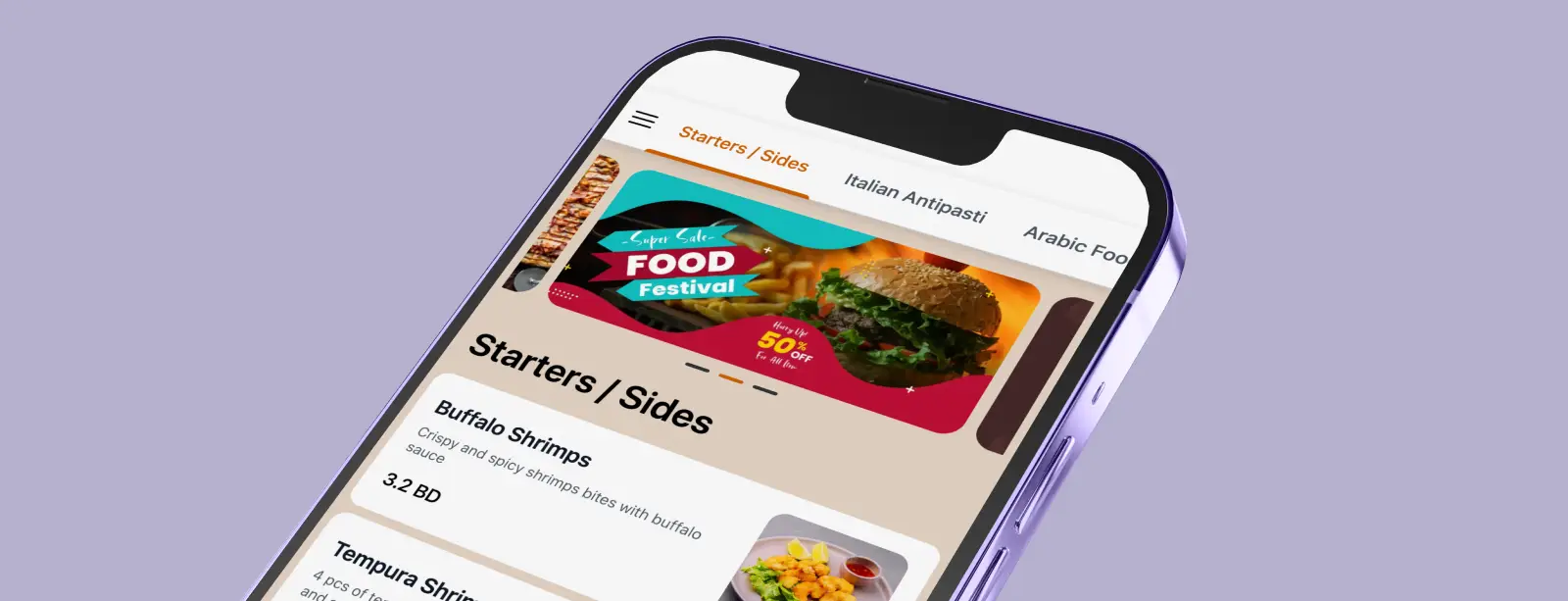
A QR menu is a mobile web page of your menu that guests open by scanning a code, with no app. You update it in real time, so prices and availability are always current without reprinting.
-
Send your menu in any format: a PDF, a phone photo, a spreadsheet, or a link to your old site. Our team digitises every item, structures the sections for a phone screen, tidies the descriptions, tags the allergens and calories, and designs it all to your brand. You approve, we publish, and most single-location menus are a short build. We agree the date with you before we start.. It is a build-it-for-you setup on every plan, not a self-service upload tool.
-
Yes, that is what Concierge is for. Our team handles every ongoing change: prices, photos, seasonal specials, sold-out items, new languages and scheduled promotions. You send a WhatsApp message describing the change and we make it live before your next service, and you never touch a dashboard. If you would rather make quick edits yourself after setup, Signature gives you that control for less.
-
Guests scan a QR code on your table, counter, room or display using their phone camera. The digital menu opens instantly in their browser. They browse photos, allergen icons, nutrition details and multiple languages without downloading anything. When we update the menu, every QR code reflects the change in real time. The QR codes themselves never need replacing.
-
Yes. Every plan is priced per venue, so you can run several locations from the start, each with its own prices and currency. For groups with ten or more outlets, or hotels running multiple concepts, Collection adds a master menu as a single source of truth with brand governance across every venue, and our team handles the rollout and ongoing changes. Request group pricing straight from the pricing section.
-
Yes. Agencies and F&B consultants can run TableQR as a white-label service across several client brands. We handle the backend, setup, configuration, updates and support, while you keep the client relationship and the branding. Volume pricing is available for partners managing five or more accounts.
-
Absolutely. We build hotel room service digital menus, pool bar menus, spa menus, lobby dining menus, and banquet menus that all connect to one central system. Updates appear across every room and outlet simultaneously. Design matches your property’s brand standards. Multilingual support is included in every plan. Built for boutique hotels, resort properties, and five-star hotel QR code menu programs.
-
Yes. Menus show multiple languages side by side, including full right-to-left layout for Arabic, and guests switch language or currency on their own screen to see accurate local prices. English, Arabic, Turkish and more are supported, with others on request. On Concierge, our team does the translation and keeps every language version in sync whenever an item changes.
-
Common allergens such as nuts, gluten, dairy and soy are marked with clear icons beside each item, with calorie and nutrition values in a clean, readable format. This helps you meet calorie-display rules in regulated markets and reassures health-conscious guests. Our team configures all of it during onboarding, and on Concierge we keep it updated whenever your recipes or portions change. allergen and nutrition data
-
No templates. We design your digital menu from your brand identity: your colors, typography, photography style, and tone of voice. If you do not have formal brand guidelines, we work from your logo, interior photos, and existing marketing materials. The result is a custom-branded menu that matches your physical space, not a cookie-cutter layout that looks like every other restaurant using the same tool.
-
Both plans include the full product with no feature limits, and both are priced per venue. On Signature we build and set up everything, then hand it over for you to manage yourself. On Concierge we do the same setup and then run every ongoing change for you, so the menu stays current without you lifting a finger. Collection is a fully customised option for groups and hotels with requirements the two standard plans do not cover.
-
No. The menu opens in the phone’s browser the instant a guest scans your QR code or taps your link. No app store, no download, no sign-up, and it works on any phone, tablet or laptop.
Stop managing menus. Start running your restaurant.
Send your current menu as a PDF, photo, spreadsheet or link. We build your branded digital menu, set up the QR codes for tables, rooms and counters, and send you print-ready files. You do nothing except approve.
Supported countries: