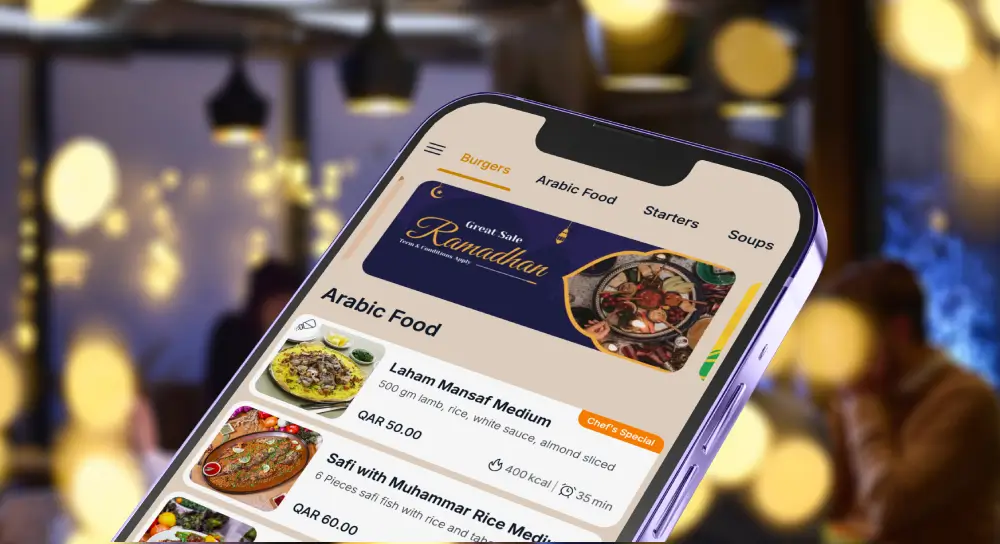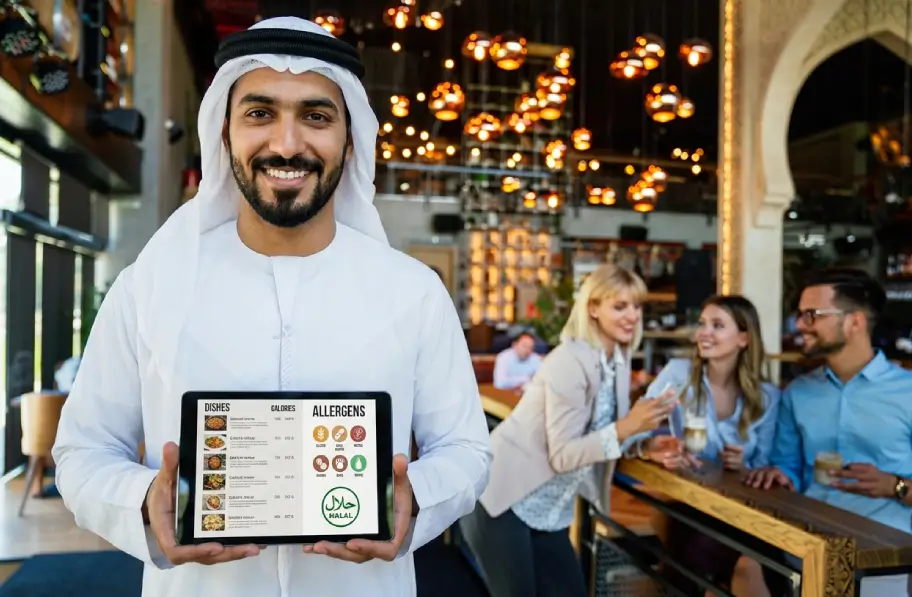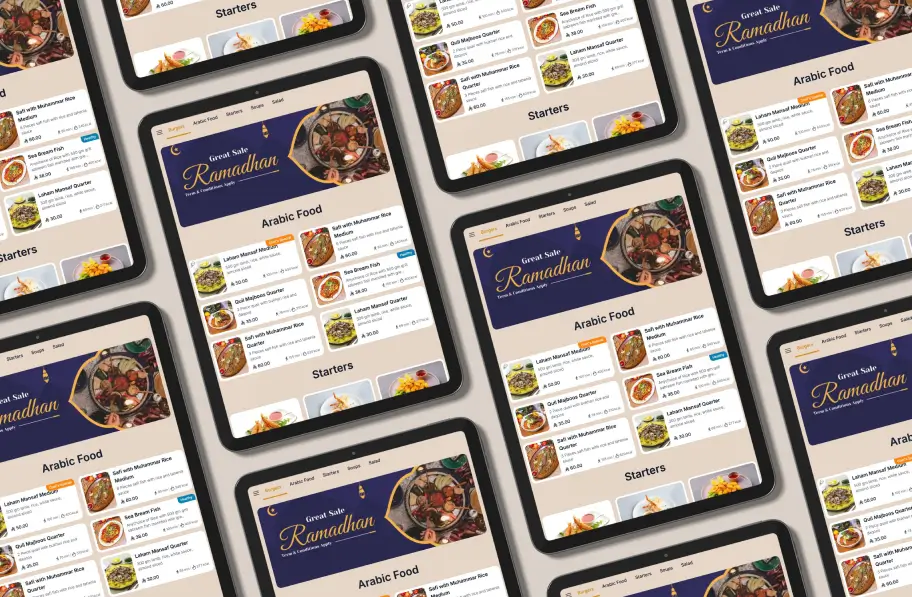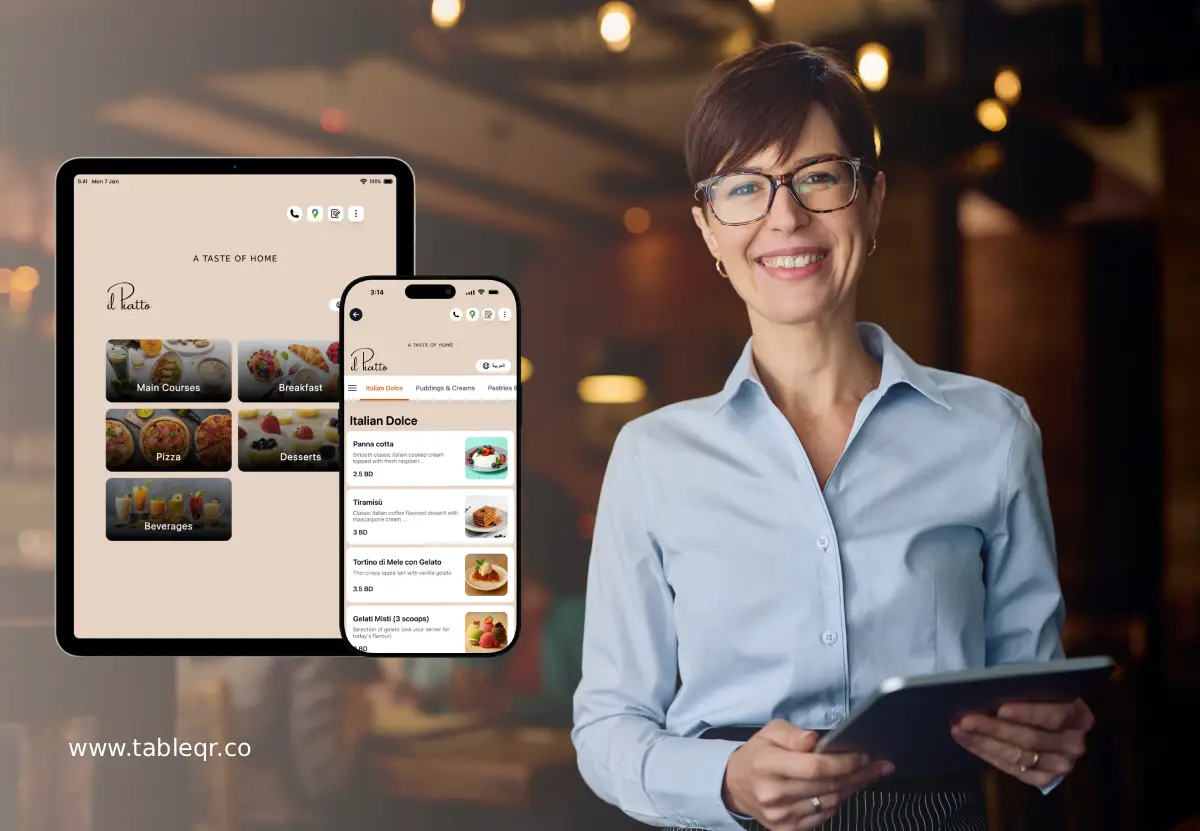
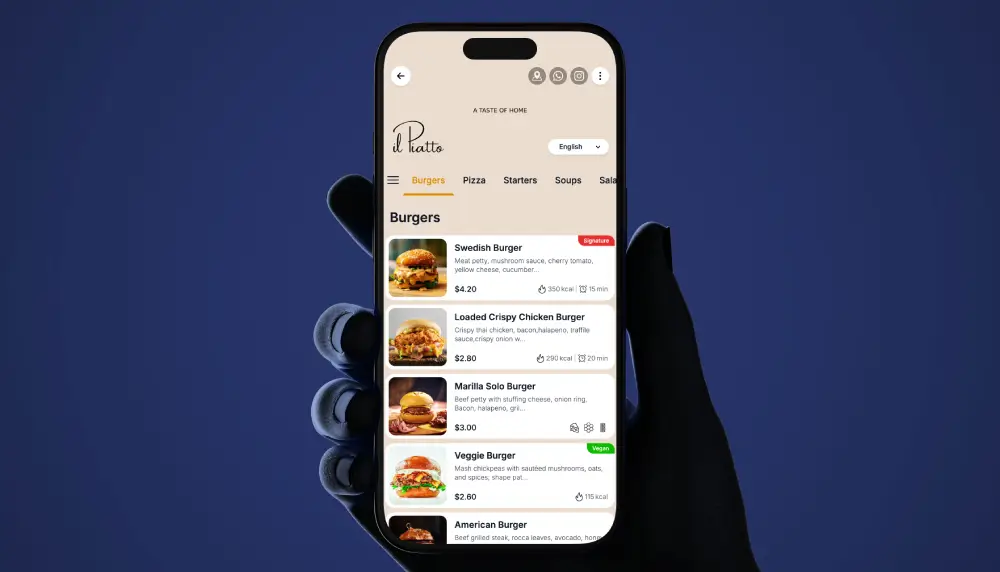
If you manage a hotel, you already know the feeling, phones ringing, tickets piling up, guests waiting. A well designed QR menu for hotels turns that noise into a clear line of sight, because guests can scan, browse, and send accurate orders right away, while your team stays focused. In 2025, travelers expect quick, simple, and clear digital experiences. Therefore, when your in room dining, pool bar, lobby cafe, or full service restaurant runs on a clean QR flow, everyone wins.
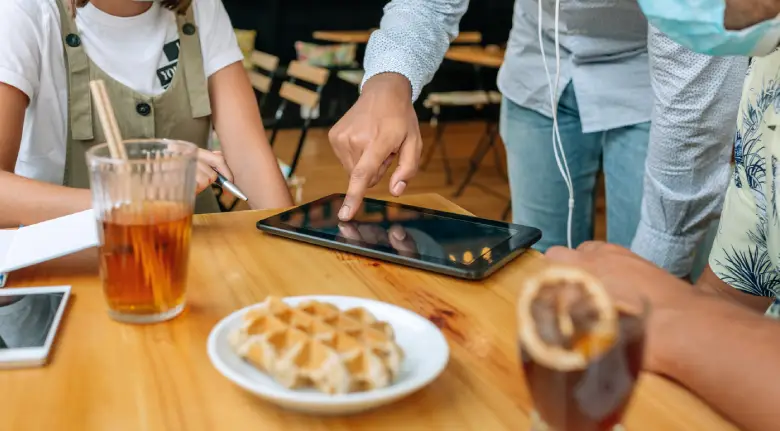
We will show you how to create QR menu for hotel operations that really work, from room service and poolside ordering to lobby pickup and restaurant tables.
“Guests want to tap, not wait.”
What Is a Hotel QR Menu?
A hotel QR menu is a scannable digital menu linked to a dynamic webpage or web app. Guests scan a QR code using the camera on their phone, then they see a branded menu with photos, descriptions, allergens, and options. Because it is digital, you can change items, prices, languages, or availability at any time, without reprinting. And since the QR menu can capture a room number or table number, your team knows exactly where to send the order.
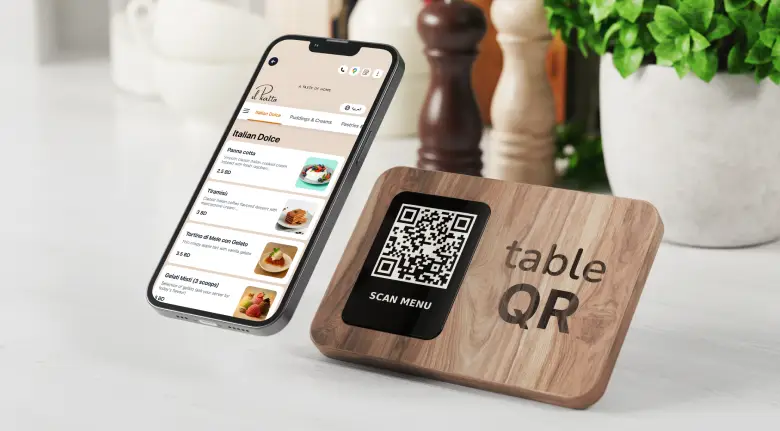
In short, the QR menu for hotels is the guest facing layer that connects your products with guest intent across room service, pool, lobby, lounge, and even bar tables. It is simple to use, easy to update, and friendly for multilingual travelers.
Restaurant digital qr menu vs contactless menu qr
People use these two phrases to mean similar things, yet there is a useful difference. A restaurant digital qr menu usually refers to a full digital menu with photos, modifiers, and notes, often connected to routing and analytics. A contactless menu qr may be a simpler, read only menu that just replaces paper with a webpage.
Therefore, when you compare options, ask yourself, do you only need a static digital PDF, or do you want a structured menu with categories, modifiers, and availability control. The second option, the full restaurant digital qr menu, helps hotels reduce mistakes and increase average order value, because guests can see choices, add extras, and submit accurate details. Meanwhile, the simple contactless menu qr works if you only want a quick digital view.
Tablet menu vs qr code menu, pros and cons
Tablet menus are hotel owned devices placed in rooms or on tables. They feel premium, and they are always on the correct page. However, they require charging, cleaning, updates, and replacements. They also need careful management to avoid missing tablets or dead batteries.
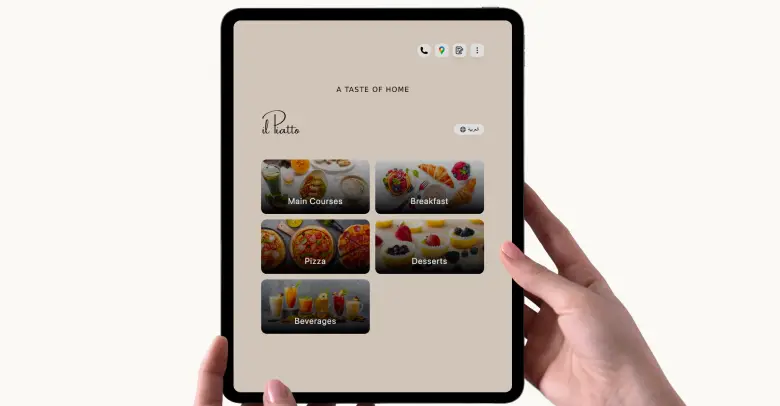
QR code menus live on the guest’s phone. They scale cheaply, they need only printed codes, and they update instantly when you adjust items. On the other hand, a few guests might prefer a physical device or a printed menu. Because of that, many hotels mix both, tablets in suites or VIP areas, QR codes everywhere else. This hybrid approach gives you control and flexibility, while keeping costs in check.
Why Hotels Need QR Menus in 2025
Guest expectations are high, and staffing is tight. A QR menu for hotels meets both sides of that equation.
First, speed. Guests scan, browse, and send orders without waiting for a phone line. This reduces hold times, reduces misheard orders, and reduces back and forth clarification.
Second, staff efficiency. Since orders arrive structured with item names, sizes, and modifiers, your team wastes less time on transcription. They can spend more time on plating, delivery, and hospitality.
Third, upsells. With photos, featured add ons, and simple cross sell prompts, guests discover new items. Because the menu suggests sides or upgrades at the right moment, average order value grows without pressure.
Fourth, multilingual support. Travelers can switch languages, see localized descriptions, and feel at home. Therefore, fewer language barriers, fewer errors, and more smiles.

Fifth, analytics. Because scans and submissions are digital, you can see what guests view, what they add, and where they drop. Then you can tune photos, names, and categories for higher conversion.
In short, QR menus turn your guest journey from reactive to proactive.
Core Guest Flows, That Just Work
The power of a hotel QR code menu shows up in everyday flows. Let us break down the four that matter most.
In Room Dining, Room Service
A guest sees a QR on the desk, the TV tent, or the welcome card. They scan, choose their language, and land on your branded menu. Categories open with one tap, breakfast, mains, late night, kids, beverages. Modifiers appear only when needed, for example, bread choice, side choice, cooking temperature, cutlery request, or allergy notes. The guest adds items to a simple cart and submits the order with their room number and name.
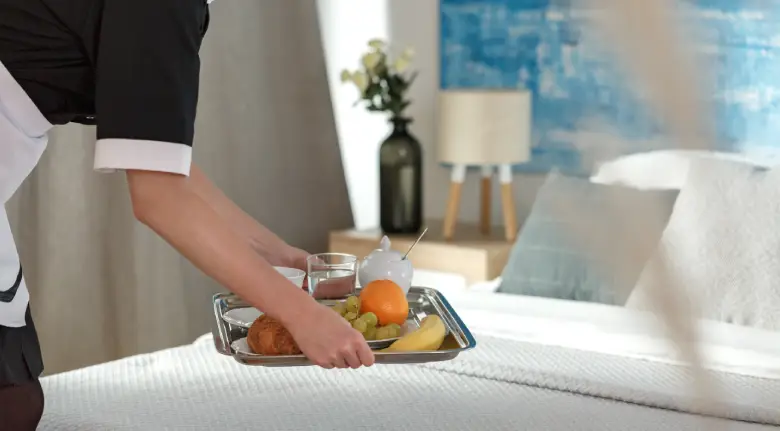
Because the hotel may keep payment at the room or at delivery, the QR form collects the room details, and the order routes to the right station. Your team sees a clean ticket and delivery notes, then they prepare and dispatch. If you use a PMS or POS integration, the order can be linked to the guest folio or to your existing open check. If not, it still routes correctly with the captured room details.
Integration notes for make qr code menu for hotel, start with your menu structure and PMS or POS. You do not need deep tech to start. You can capture room number as a required field, then route orders to room service printing, kitchen screens, or a shared dashboard. If you later connect to your PMS for name verification or to your POS for item sync, you can. The point is, you can start simple, then add integrations step by step.
“Asking for the room number once saves five follow up calls.”
Poolside & Cabanas
Pool guests want sunshine, not lines. Therefore, place a small QR on each lounger, cabana, or umbrella. When scanned, the menu captures the lounger number or cabana name automatically. Next, the order routes to the pool bar. Your bar team preps drinks and bites, then a runner brings the tray to the correct seat.

Because busy pools can be chaotic, consider optional status updates. For example, you can show a simple on page banner that says, received, preparing, on the way. If your hotel messaging tool supports SMS, you can send a short update like, order received, please relax, but only if your internal policy allows it. Many properties simply show a dynamic status on the confirmation page, no phone number required.
Also, think about bar routing. Frozen drinks may route to one station, bottled beverages to another, and food to the pool kitchen. A well structured table qr flow makes this clear, so items go to the right place the first time.
Lobby, Lounge & Cafe Pickup
Your lobby cafe or grab and go corner can get backed up during morning rush. With a QR menu, guests can scan while in line or while sitting in the lounge. They see a quick serve menu, they choose pickup time windows like now or in 15 minutes, and they submit with their name. Your receipt printer or screen shows the name and items, then your barista or attendant calls the name for pickup.
Because lobby orders often include coffee customizations, keep modifiers simple, milk type, size, extra shot, sweetness level. The rule is, fewer taps, faster service, happier mornings.
Restaurant & Bar Tables
At the restaurant and bar, you can use QR codes on tables to let guests browse and start an order. If you run a server led service model, the QR helps guests discover items, then a server confirms and sends the order. This reduces time between seating and first fire, and it supports language switching for international guests.

How does table qr code menu compare to a server led tablet menu, the tablet puts control in your hands, the QR puts control in theirs. Many hotels run a hybrid, servers carry tablets to open or update checks, while QR codes let guests explore, add notes, or request another round.
About open tab vs pay at order, hotels often keep an open tab in the POS managed by the server, then settle the check per your normal process. The QR flow supports the ordering and routing, and your staff handles final settlement just as they do today. This keeps the system secure and familiar, while still giving guests the freedom to browse and add.
QR Menu Features for Hotels
Menu Item with Photo and Video
Guests decide with their eyes, so each item can include a sharp photo or a short video clip. Photos make choices obvious, videos bring motion to signature dishes or cocktails. As a result, guests understand portions and presentations without asking, which reduces calls and speeds ordering. For room service, a 10 second video of the breakfast tray builds desire. At the pool, a looping clip of a frozen drink shows texture and garnish. In the lobby cafe, a quick shot of latte art signals quality and care. Because images and clips live in a digital menu, you can refresh them anytime when seasons change.
“Show the dish, reduce the doubt.”
Multi language and Multi currency
International travelers feel at home when the menu speaks their language. Therefore, your QR menu can present categories, descriptions, and notes in multiple languages with one tap. You can also show prices in the guest’s preferred currency for clarity.
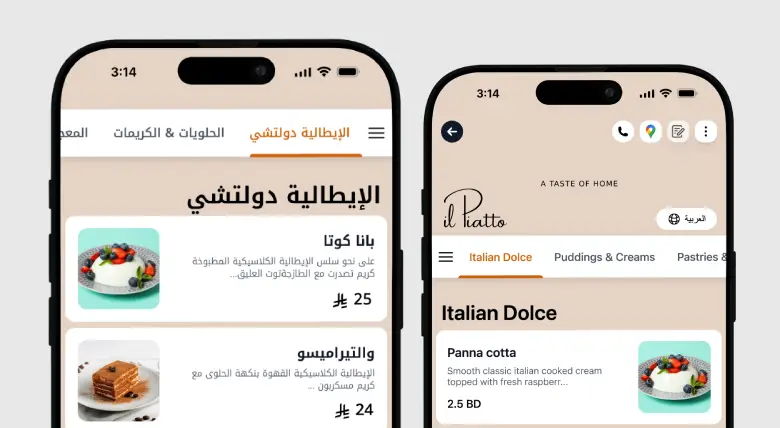
This is display only for guidance, your hotel still handles settlement per policy at the front desk or POS. In suites, guests switch languages for comfort. By the pool, multilingual labels remove friction. Consequently, fewer misunderstandings and happier reviews.
Allergen, Calories, and nutrition
Safety and trust matter. Each item can show allergen flags, calorie ranges, and simple nutrition notes. Because the interface is structured, guests can filter or scan for common allergens, while your team sees any allergy notes on the ticket. In room dining benefits from clear bread choices and gluten friendly notes.
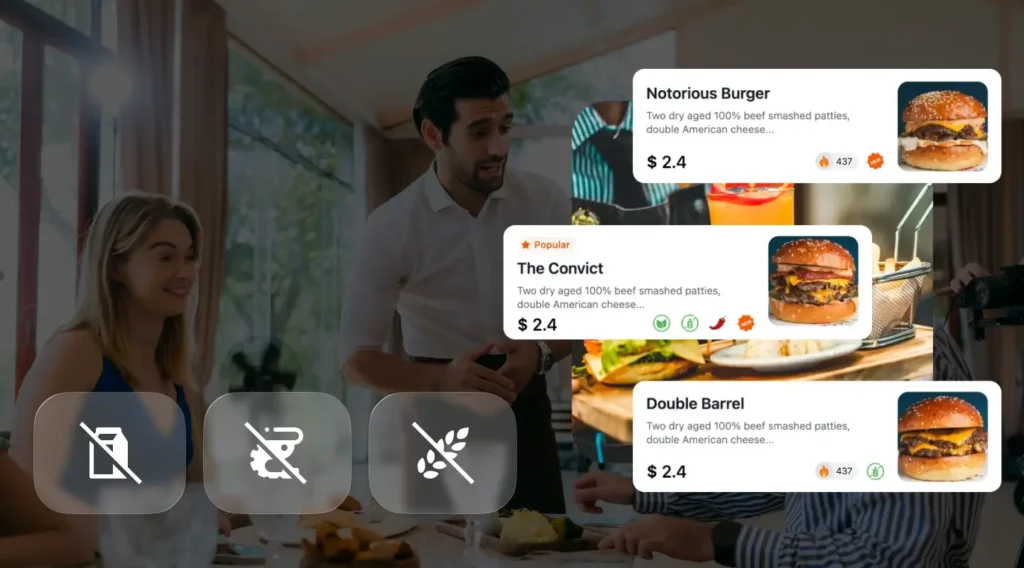
At the lobby cafe, milk types and nut warnings are front and center. Therefore, you protect guests, reduce re fires, and build confidence across the property.
Special Offers and Promotions in Digital Menu
You can highlight limited time offers, happy hour windows, or breakfast bundles directly inside the menu. A small banner or card appears at the right time and place, for instance, a morning pastry plus coffee bundle in the lobby, or a sunset spritz special at the pool. Because the offer lives in the digital flow, you can turn it on for peak periods and off when service is slammed. Hotels keep settlement in their usual channels, the QR menu simply promotes, informs, and routes.
“Right offer, right moment, right guest.”
Reports and Analytics
You cannot optimize what you cannot see, so your dashboard tracks scans, views, adds, and submits. You can sort by venue, time, and language. You can watch scan to order rate, average order value, and time to fire. You can learn which photos convert and which names confuse. Meanwhile, you can track pool lounger zones that order more often, and you can adjust inventory and staffing per pattern. Therefore, decisions move from guesswork to data.
Customer Feedbacks
Feedback is built in, quick star taps, short tags like fast service or loved the fries, and an optional text note. Because the prompt appears on the confirmation screen or after delivery, more guests actually respond. You can auto route low ratings to a manager inbox, while high ratings can trigger a kind thank you message. In room dining wins because you catch small issues early. At the bar, you learn which rounds slow down. Consequently, your team improves week by week.
“Listen in small moments, improve in big ways.”
Menu Management
Your team needs control. Therefore, you can add items, edit descriptions, and reorder categories from one dashboard. You can mark items as sold out and set time windows for breakfast, late night, or seasonal menus. You can duplicate a room service dish into the pool menu with a single click and then remove fragile garnishes for outdoor service. Because changes sync across QR sets, every location stays accurate without reprinting.
Link in Bio
Hospitality meets social. A single link gathers your menus, hours, offers, and contact details, perfect for Instagram or TikTok profiles. Travelers tap once and land on a clean hub, then they choose room service, pool, lobby cafe, or restaurant menus.
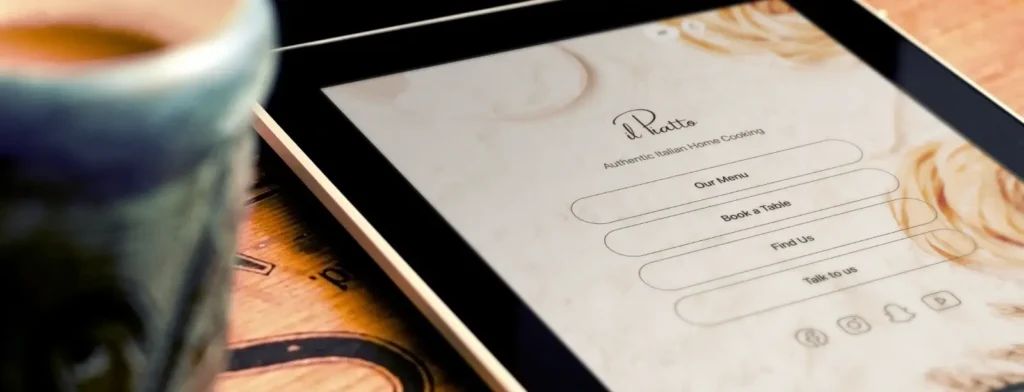
As a result, you turn browsers into on property guests faster, and you keep brand voice consistent before check in and during the stay.
Custom QR Menu Designs
Your codes and menu screens carry your brand, not a generic template. You can choose QR shapes, frames, and color accents that match your identity, and you can add micro labels like room service or pool bar to each print. For rooms, a classy tent with your font. For the pool, waterproof stickers with big contrast. For the elevator sign, a slim vertical card. Because every venue has its own vibe, design flexibility keeps everything on brand.
Real Time Menu Updates
Operations change by the hour, so updates publish instantly. Sold out the salmon at dinner, toggle it off. Want to rename the kids pasta for clarity, edit the name and it is live. Need to switch a photo for the weekend special, upload and publish. Meanwhile, your printed codes never change because they are dynamic, so your signage stays useful even as menus evolve. Therefore, you move at the speed of service without new print runs.
How to Create a QR Menu for Hotel, Step by Step
Here is a practical path that hotel teams follow. It is simple, it is realistic, and it respects your existing systems.
- Audit menus and modifiers
List your menus by venue and time, room service, overnight, pool, lobby cafe, bar, restaurant specials. Next, capture modifiers and choices for each, bread type, side choice, doneness, garnish, allergen flags, no cutlery, extra napkins. Then, decide what must be required and what can be optional. This step saves hours later. - Choose platform, TableQR
Decide whether you will run pure QR, mixed QR plus tablets, or tablets in premium rooms only. TableQR focuses on a clean QR flow, multilingual support, and fast setup. If you also want tablets in suites, you can still manage content from the same source of truth. - Design branded digital menu, photos, allergens, languages
Use real photos when possible, even one image per top seller can lift conversion. Keep names short and clear. Add allergen info and diet tags. Offer multiple languages common to your guests. And keep category names simple, breakfast, mains, pizzas, tacos, beverages, kids. - Generate dynamic QR codes, location or room or table IDs
Create different QR sets for each area, rooms, pool loungers, lobby cafe, restaurant tables. Add location IDs to each QR so orders always route correctly. Print and label these codes clearly, especially by the pool and in rooms. - POS setup, routing, room charge notes
Connect menu items to your POS if you want synchronized names and codes. If you prefer a simple start, you can route orders to a kitchen printer or display with item names and notes. Hotels often keep settlement in the POS or at the front office. Therefore, the QR flow collects the needed details, room number or table number or guest name, while your team manages the normal charge process, no online payment required or offered. - Print and place, rooms, loungers, elevators, tents
Use waterproof stickers by the pool. Use tasteful tents in rooms. Put a small QR at the elevator waiting area for late night bites. Since placement drives scans, test a few locations and notice where guests engage. - Train staff and launch
Show your team the full loop, scan, add, submit, route, prepare, deliver. Make sure everyone knows how to read location IDs and notes. Share a short script for questions, for example, you can scan the code, choose your items, and we will bring it right to your seat. Then launch, gather feedback, and improve in small steps.
UX Best Practices for Higher Conversion
Good UX feels invisible because it removes friction. Here are patterns that consistently work.
First, one tap categories. Guests should reach food fast. Keep categories visible at the top with simple words.
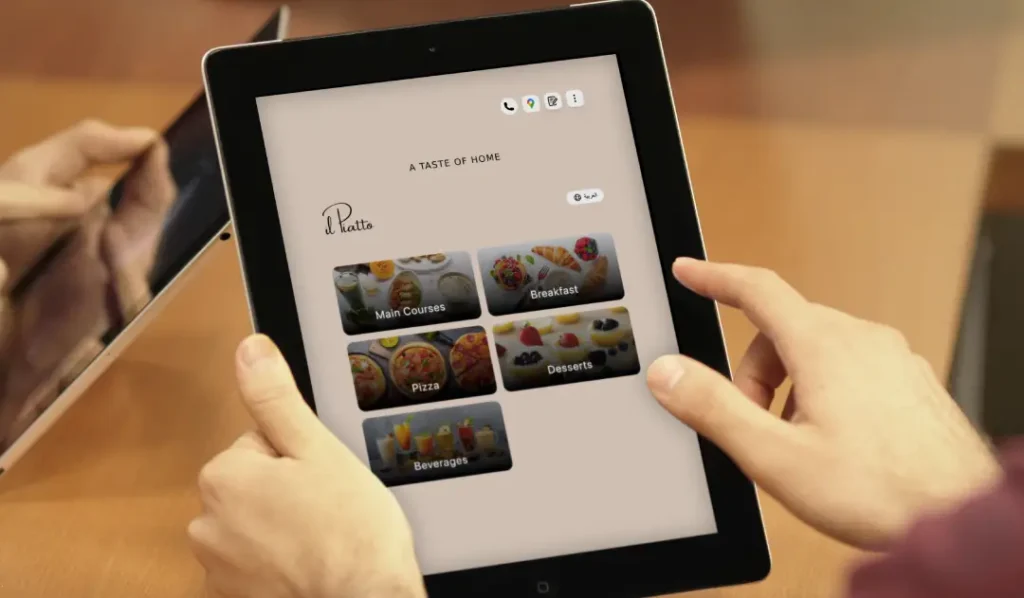
Second, a sticky cart. As guests scroll, the cart stays visible, so they always know how to submit. It reduces confusion and stops accidental back navigation.
Third, clear modifiers. Show only the relevant options when an item needs them. Do not overwhelm. For steak, show doneness. For salad, show dressing. For kids meals, show sides in a friendly way.
Fourth, smart cross sells. When a guest adds a burger, suggest fries, salad, or a drink. For breakfast, suggest fruit cup, yogurt, or pastry. Keep it helpful, not pushy.
Fifth, notes and allergy fields. Provide a simple text note box, and a clear allergy selection. This builds trust, and it stops errors.
Sixth, language switcher. Keep it obvious and use flags or clear labels like English, Español, Deutsch, العربية, 中文. International guests will thank you.
Seventh, clarity about settlement. Because TableQR does not process online payments, set clear expectations. For example, show a small line on the confirmation page that says, settlement handled by hotel per policy, room charge or pay at counter. Clarity prevents confusion.
Eighth, performance. Keep images optimized. The page should load quickly on poolside Wi Fi. Guests will bounce if it takes too long.
Ninth, accessibility. Use large tap targets, readable fonts, and good contrast. Include alt text on photos so screen readers can describe items.

Finally, a reassuring confirmation. After submission, show a short message with expected prep time. If you can, show a simple status timeline, received, preparing, on the way.
“Good UX turns choices into confidence.”
Placement & Signage That Drive Scans
Even the best QR menu needs visibility. Therefore, plan your placement like you plan your menu.
Rooms, add a tasteful tent on the desk and a small sticker by the TV. Consider a welcome card on the pillow with a small QR for late night bites.
Pool umbrellas, place a small QR at eye level. Use weather resistant material. If you number loungers, place the code where the number is visible to staff.
Elevators, a slim sign at waiting areas can promote breakfast pre orders during morning rush. Keep the message short, scan, choose, pick up in 10 minutes.
Check in desk, guests standing in line can scan a lobby cafe menu. This reduces the morning jam and sets expectations early.
Keycard sleeves, a small QR with your late night menu becomes a pocket billboard. Guests remember it when they return to the room.
In short, the best sign is the one that guests actually see during their moment of hunger or thirst.
Compliance & Accessibility
Hotels serve all kinds of guests, so digital access matters.
Font sizes, keep body text at least 16 px, and allow guests to pinch to zoom. Titles can be larger, but do not make guests squint.
Contrast, aim for strong contrast between text and background. Light text on dark photos can be hard to read, so place text on a solid overlay.
Alt text, add clear alt text to images. A short description like, grilled salmon with lemon and herbs, helps guests using screen readers.
Offline fallback and hotline, Wi Fi can be spotty in some areas. Therefore, show a simple fallback line when a scan fails, for example, if loading is slow, please call room service at 555 0101. This tiny detail respects guests and keeps orders flowing even during network bumps.
Language coverage, prioritize your top three languages based on guest mix. Add more over time. The key is quality, not just quantity.
Privacy, collect only what you need, room number and name, and store it per your hotel policy. Do not request sensitive data you do not need.
Analytics & Optimization
You cannot improve what you do not measure. A hotel QR code menu gives you friendly metrics that guide decisions.
Scan to order rate, out of 100 scans, how many submit an order. If this number is low, improve the landing experience, reduce steps, and speed up loading.
Average order value, track by venue and time. Use better photos and smart add ons to lift AOV. Breakfast can gain from simple sides, dinner from premium upgrades.
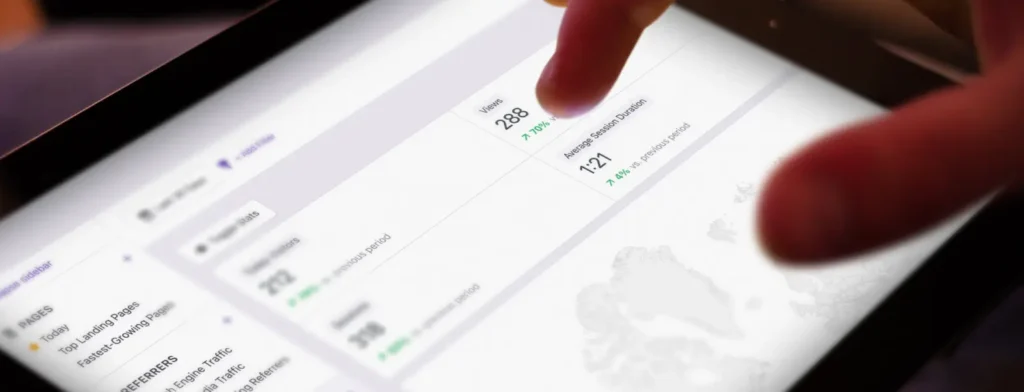
Time to fire, measure how long it takes from guest submission to kitchen fire. If this is slow, adjust routing, simplify modifiers, or free a station.
Top exit items, see which items guests view but do not add. Sometimes a change in photo or a clearer size description lifts performance.
A or B tests, you can test photos, names, and prices. Keep one change at a time for a week, then compare. Simple tests, big gains.
Heat maps by venue, rooms may prefer comfort food, pool guests choose light bites and frozen drinks, lobby guests go for coffee plus pastry. Use these patterns to place items higher for the venue that needs them.
Implementation Checklist
Here is a one page checklist you can print and use during rollout. It keeps the whole team aligned.
Menu data
- Final menus per venue and daypart
- Item names, prices, descriptions, allergens, photos
- Modifiers per item, required or optional
QR sets
- Rooms, unique or shared code with required room number field
- Pool, unique code per lounger or per zone with lounger capture
- Lobby cafe, single code with name capture
- Restaurant tables, unique codes per table or per zone with table capture
Routing
- Kitchen or bar printers or screens by venue
- Clear station mapping for drinks and food
- Backup print destination in case of outage
POS keys
- Matching item names and codes if integrated
- Open check policy documented
- Settlement policy documented, room charge or pay at counter
Staff training
- How to read tickets and location IDs
- How to handle allergy notes
- What to say when guests ask about the process
- Escalation plan during peak times
Signage
- Room tents, pool stickers, lobby signs, elevator signs, keycard sleeves
- Branding check, legible, on brand, high contrast
- Maintenance plan, cleaning, replacements
Guest messaging
- Confirmation text on page, received, preparing, on the way
- Clear settlement note, handled by hotel per policy
- Support line, hotline number during outages
Launch and review
- Soft launch in one venue
- Collect feedback from guests and staff
- Iterate, then expand to all venues

Let TableQR Set It Up For You
You want results, not a technical project. Restaurants choose TableQR because our team sets everything up for you, branding, menu creation, content uploads, and formatting. You simply review and request any changes. Once everything is ready, you get full access to the platform and can manage it yourself anytime if you want.
Therefore, if you are a hotel owner, hotel manager, or hotel operator who wants a smooth rollout, ask for a demo. We will map your venues, build your first menus, and generate your QR sets, while you focus on service and revenue.
“Technology should feel like an extra pair of hands, not a new set of chores.”
Frequently Asked Questions
- What is the difference between a restaurant digital QR menu and a contactless menu QR
A restaurant digital qr menu is a structured, interactive menu with categories, modifiers, notes, languages, and availability controls. Guests can browse, choose, and submit accurate orders. A contactless menu qr is often just a static online menu or PDF. It replaces paper but usually does not guide choices. If you want fewer mistakes and more upsells, use the digital qr menu model. - Is TableQR different from table qr
Yes. TableQR is our brand and platform, it is a B2B service for hotels, restaurants, and cafes. People sometimes write table qr as a generic term, but TableQR is a dedicated provider that sets everything up for you, branding, menu creation, content uploads, and formatting. You review, request changes, and then manage it yourself if you want. - How do I make a QR code menu for hotel room service
Start with a menu audit, list items and required modifiers. Choose a platform, for example TableQR. Design a branded menu with photos and allergen info. Generate QR codes for rooms and capture room number as a required field. Connect routing to your room service printer or screen. Train staff, place tents in rooms, and launch. Settlement can stay as room charge or per your existing policy. - Do guests need an app
No. Guests scan the QR with their phone camera and land on a mobile web page. There is no app to download. This keeps the process fast and friendly for international travelers. - Can QR menus work with tablet menu stations
Yes. Many hotels use a hybrid model. You can place tablets in suites or VIP areas, while QR codes serve all rooms and venues. Content can come from the same source so updates are consistent. - How do we track pool lounger or table numbers
Add a required field that captures the lounger or table number. Alternatively, print unique codes for each lounger or table so the location is auto captured. Then route orders to the correct station with that ID visible on tickets. - How do tips and payments work
TableQR does not process online payments. Hotels usually keep settlement in the POS or at the front desk. Many properties charge to the room or accept payment at the counter or at delivery, per policy. If you want to encourage service recognition, you can add a friendly note like, gratuities are managed by the hotel at settlement, please ask your server. - What if Wi Fi is down
Prepare a simple fallback. Show a hotline number on the QR page, for example, if loading is slow, call room service at 555 0101. You can also keep a small printed menu in each venue for edge cases. When the network returns, the QR flow resumes as normal.
Build Your Hotel QR Menu With TableQR
You can create qr menu for hotel operations that are fast, clear, and on brand. You can support in room dining, poolside ordering, lobby pickup, and restaurant tables with one simple flow. You can start small, learn quickly, and scale across your property without heavy tech lift.
When you are ready, TableQR will build it for you, branding, menu creation, content uploads, and formatting. You review, request tweaks, and then manage it yourself if you want. Because we are B2B and focused on hospitality, we speak your language, we respect your workflows, and we keep the experience light for your team.
“Start with the guest, finish with the team, improve one screen at a time.”